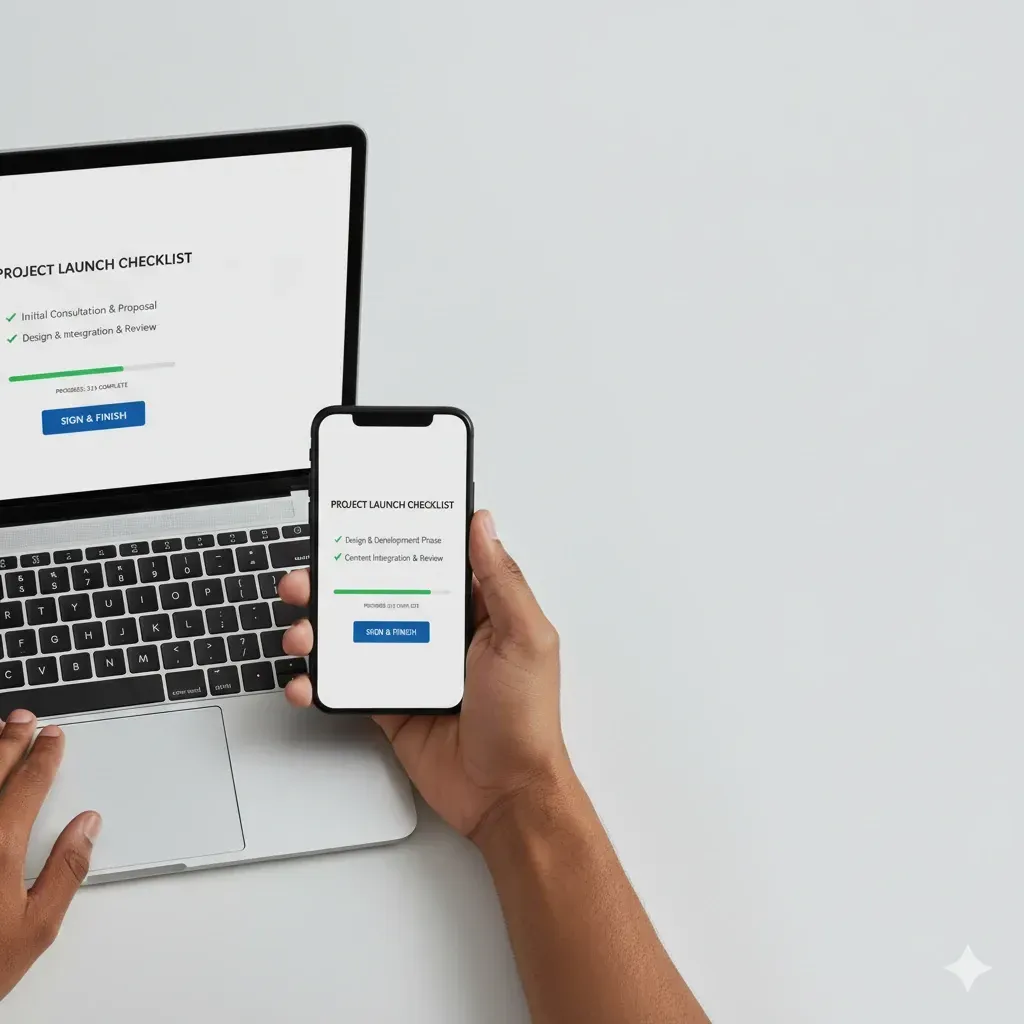
How to Get Clients to Upload and Sign on the First Try
When clients delay uploads or e-sign, your team spirals into follow-ups, status checks, and “gentle nudges” that are neither gentle nor efficient. First-try success isn’t magic. It’s a system: fewer choices, clear cues, timed reminders, and effortless signing. Build that system once and stop paying the “follow-up tax” every week.
What “first-try success” looks like
Clients complete every requested document in a single session
E-sign is done within 24–48 hours
No “how do I upload this?” tickets
Your staff reviews work instead of re-requesting files
The psychology behind it (keep it practical)
Choice reduction: the more items on screen, the higher the abandonment.
Goal gradient: visible progress bars pull people to the finish line.
Implementation intent: prompts like “Finish by Thursday 5 pm” outperform vague asks.
Friction asymmetry: one bad step (password reset, unclear file type) can tank the whole flow.

Step 1: Design a guided request list
Goal: one path per client, not a scavenger hunt.
Tactics
Show only the docs that apply to this client scenario.
Provide 1–2 annotated samples for common forms (W-2, 1099, bank statements).
Accept camera capture and PDFs; auto-convert HEIC if possible.
Require file names that carry meaning:
Lastname_YYYY_DocType.pdf.
Copy snippets
Micro-copy above the upload: “Best photo: flat, all corners, no glare.”
Empty state: “You have 3 items. Finish all to move forward.”
Quality gates
Minimum file size threshold, page count checks, and warning for blur.
Step 2: Time reminders to behavior, not the calendar
Goal: avoid spam, nudge momentum.
Behavior-based cadence
T+6h after first visit without completion: “You’re close. 2 items left.”
T+24h if still incomplete: SMS with a magic link.
T+72h escalation: “We’ll pause your work on Day 5 unless these 2 items are done.”
Channel mix
Email for details, SMS for urgency, in-app banner for continuity.
Subject line formulas
“Only {N} items left for your return”
“Upload your {DocName} to keep your filing on track”
“Finish in 3 minutes: sign {FormName}”

Step 3: Make e-sign brain-dead simple
Goal: one action, zero doubt.
Tactics
Bundle required forms so clients sign once.
Pre-fill fields you already know; lock what must not change.
Provide a one-line safety cue: “You can review page by page before signing.”
Offer multi-factor or OTP for identity assurance without password chaos.
Signature friction reducers
Clear “Sign & Finish” button at the end.
Post-sign confirmation email with a timestamp and downloadable copy.
Step 4: Close the loop with instant feedback
Goal: clients feel progress, your team avoids tickets.
Tactics
Real-time validation: blur, cut-off, missing pages.
Auto-acknowledge per file: “Received: 8879.pdf at 10:42 AM.”
Progress meter with concrete next step: “2 of 3 done. Next: 1099-INT.”
Step 5: Trust, security, and auditability
Goal: remove fear and meet compliance expectations.
Tactics
Firm branding and a short privacy note on every step.
OTP or magic link login for short-lived tasks.
Immutable activity log: who uploaded/signed, when, from which device.
Clear retention policy: “Files are stored for X years, encrypted at rest and in transit.”
Example transformation (illustrative)
A 5-person firm handling 250 individual returns moved from email attachments to a guided checklist with behavior-based reminders. Within 60 days, upload completion within 48 hours rose from ~42% to ~80%, e-sign median time dropped from Day 6 to Day 2, and weekly follow-ups fell from ~10 hours to under 3. Results vary, but the pattern is consistent: guided flow + timed nudges = fewer loose ends.
Implementation roadmap (14 days)
Day 1–2: Map the journey
List each client scenario and required docs.
Identify “dead ends” and remove extra clicks.
Day 3–5: Build templates
Templates for requests by scenario (individual, S-Corp, Schedule C).
Annotated examples and file naming convention.
Day 6–7: Set reminders
Behavior triggers at 6h, 24h, 72h.
SMS copy limited to <160 chars with direct link.
Day 8–10: E-sign bundle
One signing package; lock critical fields.
Post-sign receipts and storage policy.
Day 11–12: QA & accessibility
Mobile testing on iOS/Android, low-bandwidth sync, screen reader checks, high-contrast mode.
Day 13–14: Pilot & iterate
20 clients max, track completion time, edit confusing steps.
Roll out to the rest once metrics beat baseline.
Measurement plan
North-star: First-try completion rate (all docs + signature in one session).
Core metrics
Upload completion within 48 hours
Median time to e-sign
Reminder touches per client
Support tickets per 100 returns
Resubmission rate (bad images)
Targets to start
+30–40% improvement in 48-hour completion after 30 days
E-sign median: under 48 hours
Tickets per 100 returns: cut by half
A/B tests you can run next
Checklist density: 12 items vs grouped 3 steps.
Subject line: generic vs “Only {N} items left.”
Channel cadence: email-email-SMS vs email-SMS-email.
Progress bar wording: “2/3 done” vs “Next: Sign 8879.”
Success metric: completion within 48 hours, tie-break by total reminders sent.
Templates you can copy-paste
Email: first reminder (T+6h)
Subject: Finish in minutes: {DocName}
Body:
Hi {FirstName},
you’re almost done. You still need {DocName}. Tap the link to finish in one session: {MagicLink}.
— {FirmName}
SMS: escalation (T+24h)
{FirstName}, your upload is nearly done. Missing: {DocName}. Open: {ShortLink}
Micro-copy above upload
Best photo: flat surface, no shadows, all corners visible. Preview before sending.
Post-sign confirmation
Signed {FormName} on {DateTime}. Download your copy: {Link}. We’ll notify you of the next step.
Accessibility and mobile UX checklist
All actions reachable with one thumb
Tap targets ≥44 px
Offline capture with queued upload
High-contrast and screen-reader labels
Keyboard-only navigation supported
Troubleshooting guide
Client says “the link expired.” Provide a one-tap resend mechanism.
Photos look washed out. Auto-apply contrast/deskew, prompt for re-capture if text detection fails.
Duplicate uploads. Deduplicate by filename + filesize + checksum, keep the latest, archive the rest.
Client rejects e-sign. Capture reason codes, auto-reopen the package with audit note.
Operating procedures (internal)
Daily dashboard: sort by “waiting on client” with aging tags (24h, 72h, 5d).
Escalation: if 5d incomplete, partner-level email explaining impact on delivery date.
Weekly review: top 5 blockers and copy tweaks; archive unused templates.
Quick checklist (print this)
Guided request list per scenario
Mobile capture + instant preview
Behavior-based reminders (6h, 24h, 72h)
Bundled e-sign with locked critical fields
Real-time validation + auto-acknowledge
Visible trust signals, OTP, audit log
Metrics dashboard live: completion, e-sign time, tickets
FAQ
Does this add setup overhead? Templates take 15–30 minutes; then you reuse them by client type.
What about clients who hate portals? Offer an SMS magic link and OTP; completion usually improves when passwords disappear.
How do we keep track of what’s missing? Use a single list view showing “waiting on client” across engagements.
Is e-sign acceptable for tax forms? Yes when identity checks and audit trails meet the requirements for the forms you use. Confirm with your compliance advisor for your jurisdiction.