The Psychology of Tax Client Reminders: Timing, Copy & Channels That Actually Work
Busy season rarely collapses on technical prep—it collapses on micro-inertia: unsigned 8879s, missing W-2s, ignored portal invites. This expanded playbook shows how to nudge clients to act—with timing windows, message formulas, automation patterns, and metrics you can ship in days, not months.
1) Behavioral science behind reminders (translated into ops)
Present bias: Clients overvalue “right now” over future benefits.
Tactic: compress tasks into 1 clear action that takes ≤1–2 minutes and say it explicitly.Loss aversion: People move faster to avoid a loss than to gain a benefit.
Tactic: state the real consequence in plain language: “We can’t e-file until 8879 is signed.”Choice overload: Too many links = no action.
Tactic: one button, one fallback link, no detours.Zeigarnik effect: Unfinished tasks stick in memory.
Tactic: show progress (“You’re 90% done”) and a single next step.Social proof: We copy the norm.
Tactic: “Most clients finish this in under 2 minutes.”Implementation intentions: If-then framing reduces procrastination.
Tactic: “It takes ~1 minute—do it now before closing this email.”
Writing spec to enforce the science
Reading level: grade 6–7.
Sentence length: mostly ≤14 words.
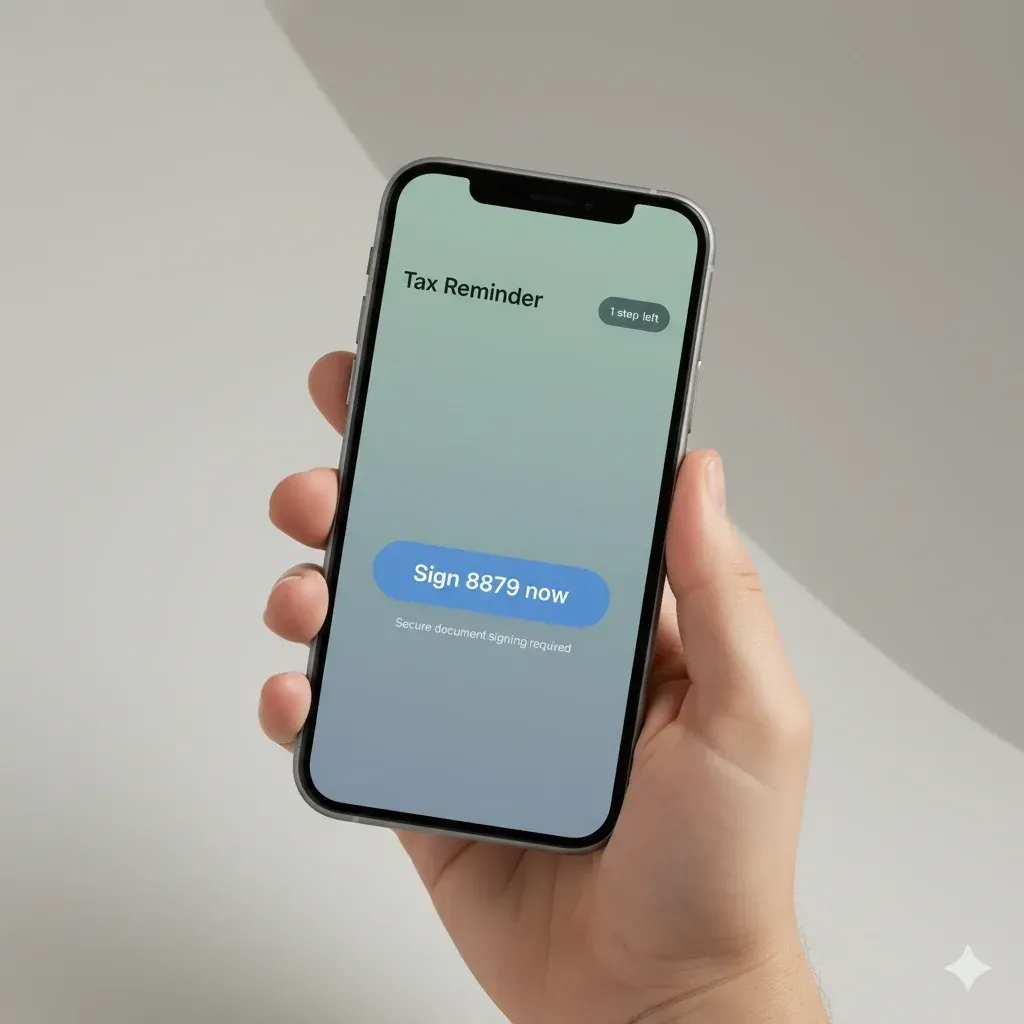
Button labels: verbs in imperative (“Sign 8879 now”, “Upload W-2”).
Visual: progress bar or “1 step left” chip near the CTA.

2) Timing deep-dive: when humans actually respond
Core windows
T0–2h after request: First reminder while the context is warm.
T+48–72h: Second nudge; escalate channel if unopened.
T−72h to hard deadline: Deadline-anchored copy with the exact date/time.
Evening micro-bursts (6–8 pm local): Fewer meetings, more mobile.
Weekly cadence example (Tuesday releases)
Tue AM: initial request.
Thu PM: 48h nudge (switch channel if no open).
Mon AM: deadline-anchored reminder (with date, e.g., “by March 18”).
Stop immediately on completion.
Timezone & calendar anchors
Localize by client timezone.
Tie reminders to concrete anchors: “Sign by Tuesday 5:00 pm to e-file this week.”
Edge cases
High-stakes forms: add same-day SMS if email un-opened in 6h.
Low digital literacy: fewer touches; include brief “how to” line.
Weekend: short, SMS-first; avoid long emails late Saturday.
3) Channel strategy that reduces friction
Email (default)
Use a direct subject: “Sign 8879 to finalize your return.”
Body: <60–120 words, scannable, single button, plaintext fallback URL.
SMS (accelerator)
Keep ≤160 chars; include firm name; link first or second word.
Reserve for time-sensitive steps or unopened emails.
Portal/App notification (closure)
Mirror the same CTA and completion state. Never introduce a new task here.
Phone/voicemail (exception path)
Short script pointing to the same link. Use when deadlines are within 24–48h or accessibility needs require it.
Deliverability basics
Authenticate email (SPF/DKIM/DMARC); avoid link tracking on first touch if your domain is new/warmup is incomplete.
For SMS: obtain consent, provide opt-out (“Reply STOP to opt out”).
4) Message architecture (how to write what gets tapped)
Subject line patterns
Action + object: “Sign 8879 now (1 min).”
Progress framing: “90% done—one signature files your return.”
Deadline: “Sign by Thu 5 pm to e-file this week.”
Body blueprint (80–120 words)
Context (one sentence): “We’re ready to file.”
Action (imperative + time promise): “Please e-sign 8879—it takes ~1 minute.”
CTA (button + fallback link).
Support (one line): “Need help? Reply here.”
Friction audit (use before sending)
Is there exactly one blue button?
Does the button text match the subject?
Is there a visible time promise (“~1 minute”)?
Is a non-tracked fallback link present?
Tone & clarity
Avoid jargon; use verb-first.
Keep any legal language in the footer, not the body.
5) Template library (copy-paste and ship)
Variables: {{First}} {{FirmName}} {{secure_link}} {{deadline}} {{support_line}}
A) 8879 e-signature (Email)
Subject: Final step: e-sign Form 8879
Body:
Hi {{First}},
We’re ready to file your return. Please e-sign Form 8879—it takes ~1 minute.
👉 Sign 8879 now: {{secure_link}}
Questions? Reply to this email.
— {{FirmName}}
B) 8879 e-signature (SMS)
{{First}}, your 8879 is ready to e-sign (1 min): {{secure_link}} —{{FirmName}}. Reply STOP to opt out.
C) Missing document request (Email)
Subject: Upload your W-2 (takes ~1 minute)
Body:
Hi {{First}},
We’re missing your W-2 to complete your return. It takes ~1 minute to upload.
👉 Upload W-2: {{secure_link}}
If you can’t scan it, reply and we’ll help.
— {{FirmName}}
D) Portal invite (Email)
Subject: Your secure tax portal (2-step setup)
Body:
Hi {{First}},
Here’s your secure portal to share documents and e-sign forms. Setup takes 2 steps.
👉 Open your portal: {{secure_link}}
If you prefer email, reply and we’ll accommodate.
— {{FirmName}}
E) Payment authorization (Email)
Subject: Approve payment to finalize filing
Body:
Hi {{First}},
Please approve payment to finalize your return. This takes ~1 minute.
👉 Approve payment: {{secure_link}}
{{support_line}}
— {{FirmName}}
F) Past-due (polite, deadline-anchored)
Subject: Sign by {{deadline}} to e-file this week
Body:
Hi {{First}},
We can’t e-file until Form 8879 is signed. Please sign by {{deadline}} to meet this week’s filing window.
👉 Sign 8879 now: {{secure_link}}
Need help? Reply to this email.
— {{FirmName}}
G) Bilingual micro-copy for buttons
EN: Sign 8879 now / Upload W-2 / Open portal
ES: Firma el 8879 ahora / Sube tu W-2 / Abre tu portal
6) Automation patterns (that ops can maintain)
Think in states and events:
States: requested, opened, clicked, completed, bounced, unsubscribed, expired.
Events: email_opened, link_clicked, sms_delivered, signature_captured, deadline_passed.
Simple flow (pseudocode)
on task_created(type="8879"): send_email(template="8879_initial") wait 48h if not completed: if not email_opened: send_sms(template="8879_sms") else: send_email(template="8879_nudge") wait until deadline - 72h if not completed: send_email(template="8879_deadline") stop_when completed
Operational guardrails
Stop on success (immediately).
Channel suppression: never send email + SMS within the same 5 minutes.
Exception queue: if 2 bounces or client replies “help”, assign to human.

7) E-sign & compliance essentials (vendor-neutral)
Identity checks: risk-based (e.g., email link + OTP).
Audit trail: timestamps, IP/device, signer ID, document hash, version.
Document locking: freeze the PDF after signing; checksum changes.
Retention & access: store securely for defined years; easy export.
Consent & opt-out: capture SMS consent; include STOP instructions.
Accessibility: readable on mobile, large tap targets, screen-reader labels.
Data minimization: collect only what you need for the signature.
(This is general guidance, not legal advice. Verify with your counsel and jurisdiction.)
8) What to measure (and how to read it)
Funnel KPIs
Open rate (email), delivery rate (SMS).
Click-to-open rate (CTOR): did the copy land?
Completion rate: % of tasks completed within X days.
Touches-to-complete: average reminders required.
Time-to-sign / Time-to-upload: median hours from first request.
Error rate: failed signatures, bounced emails, expired links.
Operational benchmarks (directional, adjust to your firm)
Aim for ≤2 touches median to completion.
CTOR 20–40% on transactional reminders.
Completion within 72h for most routine items.
Lightweight dashboard schema (pseudo-SQL)
SELECT task_type, COUNT(*) AS tasks, AVG(touches) AS avg_touches, PERCENTILE_CONT(0.5) WITHIN GROUP (ORDER BY hours_to_complete) AS p50_hours, SUM(CASE WHEN completed=1 THEN 1 END)/COUNT(*) AS completion_rate
FROM reminder_events
WHERE created_at BETWEEN :start AND :end
GROUP BY task_type;
9) Experiments worth running (simple A/Bs)
Hypothesis: “Time promise” increases clicks.
Test: “Sign 8879 now (1 min)” vs “Sign 8879 now”.
Success metric: CTOR uplift ≥10%.Hypothesis: Evening SMS boosts completion for unopened emails.
Test: Add SMS at 7 pm after 48h non-open vs control (email only).
Metric: Completion within 24h; secondary = touches-to-complete.Hypothesis: Progress framing reduces procrastination.
Test: “You’re 90% done—one signature left” vs neutral subject.
Metric: Click rate; completion in 48h.Cutoff rule: stop tests after ≥1,000 deliveries per arm or if cost/complaints spike.
10) Mini-scenarios (Before → After)
Small firm (3 people), high email bounce
Before: 4-step emails, attachments, no SMS, 5–6 touches to finish.
After: 1-button emails, SMS only if unopened in 48h; completed in ≤2 touches.
Mid-size team (12 people), deadline crunch
Before: “Please review” vague subjects; mixed tasks per email.
After: Deadline-anchored subjects + one CTA per message; time-to-sign cut from days to hours.
11) Implementation checklist (print this)
One task per message, one button + fallback URL.
Time promise (“~1 minute”).
2-touch sequence (T0–2h, T+48–72h), then deadline.
Channel escalation only if unopened.
Stop on success; create exception queue.
SMS consent + STOP language.
E-sign audit trail + document locking.
Mobile accessibility verified.
Dashboard for touches-to-complete and time-to-sign.
Bilingual button labels if you serve EN/ES clients.
FAQs
What’s the ideal number of touches?
Two in most cases: an initial request and a 48–72h nudge. Add a deadline-anchored final if truly required.
Should I start with SMS?
Use email first unless your clients have already opted into SMS and the task is time-critical.
What if a client replies “I’m confused”?
Move them to the exception queue; send a human reply with a plain-English 3-step guide and offer a quick call if needed.
How do I lower “how do I upload/sign?” tickets?
Use a portal with one obvious next step, visible progress, and a large mobile-friendly button. Keep instructions above the fold.