Busy Season 2026: 30-Day Prep Plan for Small Tax Firms
Intro — from pain to relief
Every extra click, every “can you resend?” message, every duplicate entry adds up when deadlines hit. This 30-day plan hardens your operations now—so January feels like execution, not scramble. We’ll show where Tax Studio AI acts as your single hub to cut re-entry, keep data in sync, make docs/findings searchable in seconds, and give you pipeline visibility.
Week 1 — Foundations (Days 1–7)

1) Map your workflow (90 minutes). Intake → document collection → prep → review → bookkeeping sync → file. Highlight any step that requires re-keying.
2) Standardize intake & naming. One intake checklist per client type (W-2, 1099, S-Corp). Set a naming rule: Client–TaxYear–DocType.
3) Centralize work. Move client files, tasks, and notes into one workspace.
4) Verify accounting integrations. Confirm QuickBooks/Xero connections and what fields sync one-way vs two-way.
Where Tax Studio AI helps: one hub for docs, tasks, and communication context; search in seconds across files/notes; accounting integrations to reduce re-entry.
Week 2 — Client Experience & Throughput (Days 8–14)
5) Simplify how clients send docs. Give a clear, 3-step path: “Gather → Upload → Wait for next step.”
6) Define triage rules. Green/Amber/Red based on missing items (e.g., W-2 absent = amber).
7) Prep “fast lanes.” Create shortcuts/templates for your top three return types.
Where Tax Studio AI helps: universal search to find missing items fast; shared checklists and templates so the team follows the same path.
Week 3 — Quality & Risk (Days 15–21)
8) Review checklists. One per form set; attach to each job.
9) Nightly housekeeping. Run a quick pass to flag stale data and incomplete files.
10) Permissions & change log. Limit who can edit sensitive items; keep a record of changes.
Where Tax Studio AI helps: audit/change tracking and role-based access; consistent review steps embedded in your workflow.
Week 4 — Scale & Final Readiness (Days 22–30)

11) Capacity map. Assign throughput targets per preparer/reviewer; surface bottlenecks early.
12) Communications calendar. Outline when preparers will ping clients (email/SMS/phone) using your preferred third-party tools.
13) Dry run. Process one full mock return end-to-end with timers; remove two steps before January.
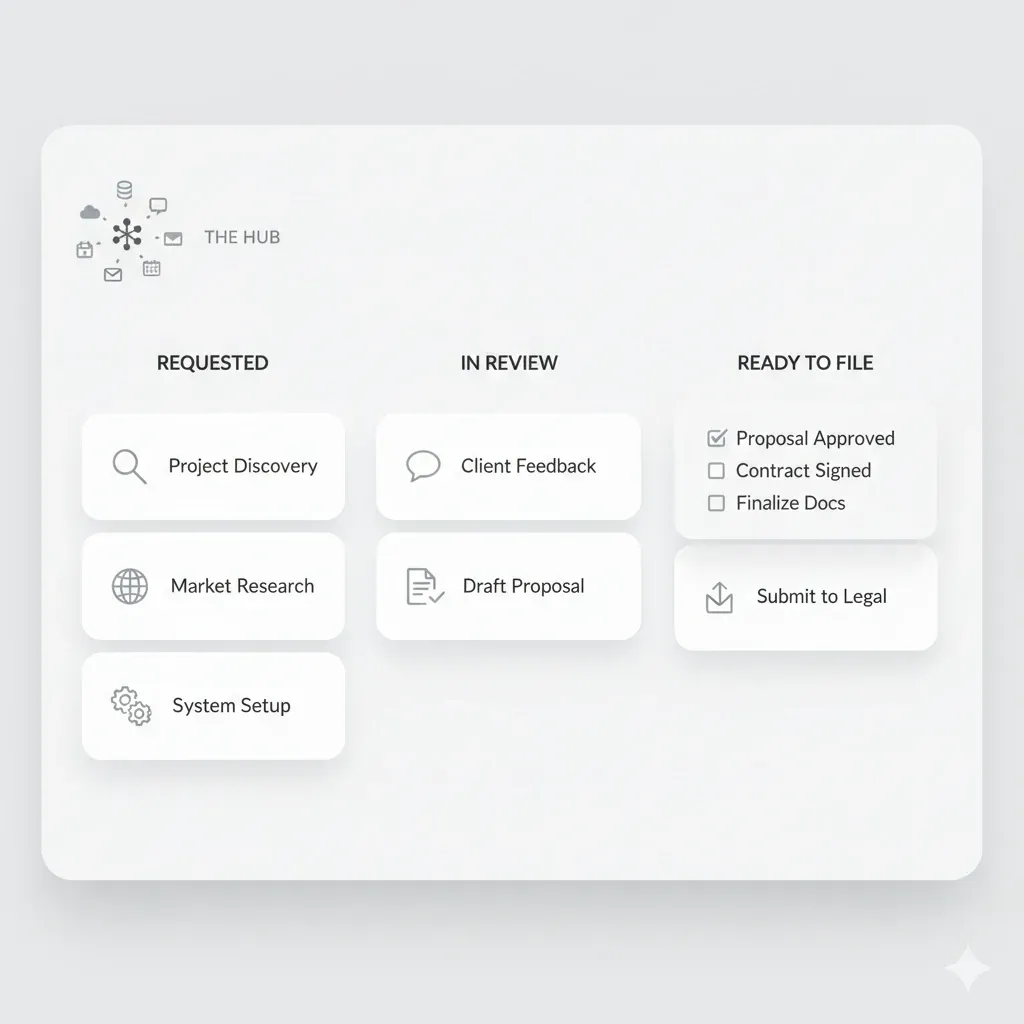
Where Tax Studio AI helps: pipeline view from “Requested” → “In Review” → “Ready to File,” central tasks, and status visibility for the whole team.
Practical Example (S-Corp client)
Before: Client emails PDFs; staff saves locally; manual renaming; DM to bookkeeper; re-key totals into QBO and tax prep.
After (with Tax Studio AI): One workspace with intake checklist; docs stored under your naming convention; search surfaces “what’s missing”; QBO/Xero sync reduces re-entry; reviewer opens a single job with checklist attached; change log captures edits.
15-Item Checklist (print and pin)
FAQ
Do I need e-sign or in-app reminders to run this plan? No. This plan assumes client nudges happen via your preferred third-party tools or manual outreach.
How long does the initial setup take? 15–30 minutes for the basics; iterate weekly.
Which accounting integrations should we confirm? Start with QuickBooks/Xero; verify field mappings to minimize re-entry.
Can I cancel if it’s not a fit? Yes—use the 7-day trial to validate fit before committing.